Sitting all day?Let’s fix that.
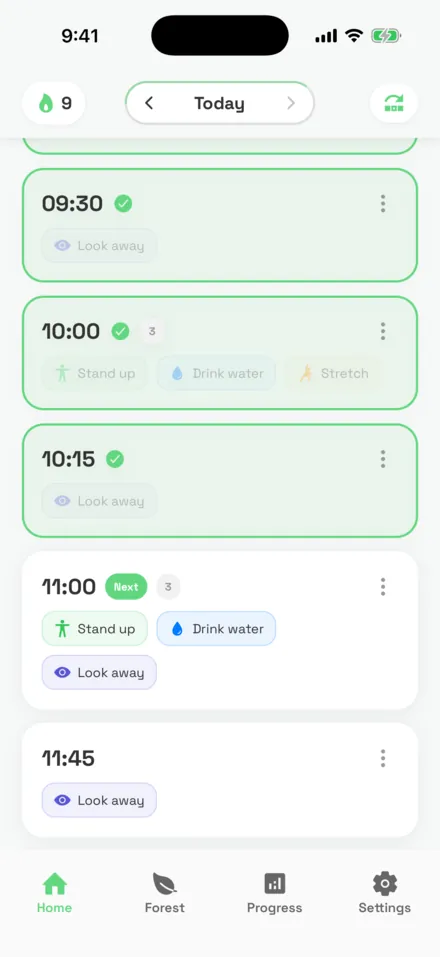
StandPal is a stand-up and break reminder app for iPhone. Set your work hours once and it spaces short breaks through your day: stand up, stretch, drink water, rest your eyes. Every break you finish plants a tree.

Free to download.
Pro comes with a 7-day free trial.
Is sitting all day bad for you?
Sitting for most of the workday is linked to a higher risk of early death, and the fix is simpler than a gym plan: break it up. In a 2024 study of 481,688 adults, people who mostly sat at work had a 34% higher risk of dying from cardiovascular disease and a 16% higher risk of dying from any cause than people who mostly didn’t sit.
People who alternated between sitting and standing had no significant increase. StandPal is built to make that alternating habit automatic.
- Mostly sitting at work+16%
- Alternating sitting and standing+1%, not significant
Source: Gao W, Sanna M, Chen YH, Tsai MK, Wen CP. “Occupational Sitting Time, Leisure Physical Activity, and All-Cause and Cardiovascular Disease Mortality.” JAMA Network Open, 2024. Adjusted hazard ratios 1.16 (mostly sitting) and 1.01 (alternating).
How does StandPal remind you to take breaks?
It builds a schedule around your workday instead of firing a timer every 30 minutes. Setup takes about a minute.
- 1
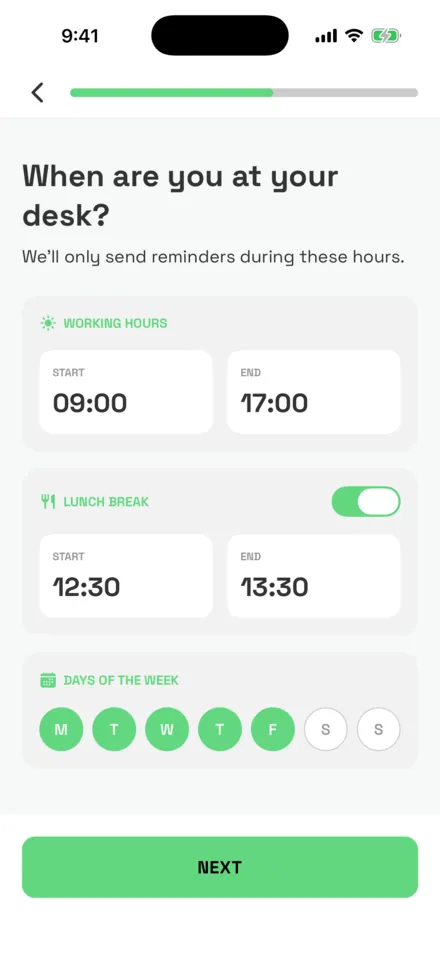
Tell it when you work
Pick your start and end time, a lunch break and your work days. Reminders only arrive inside that window.
- 2
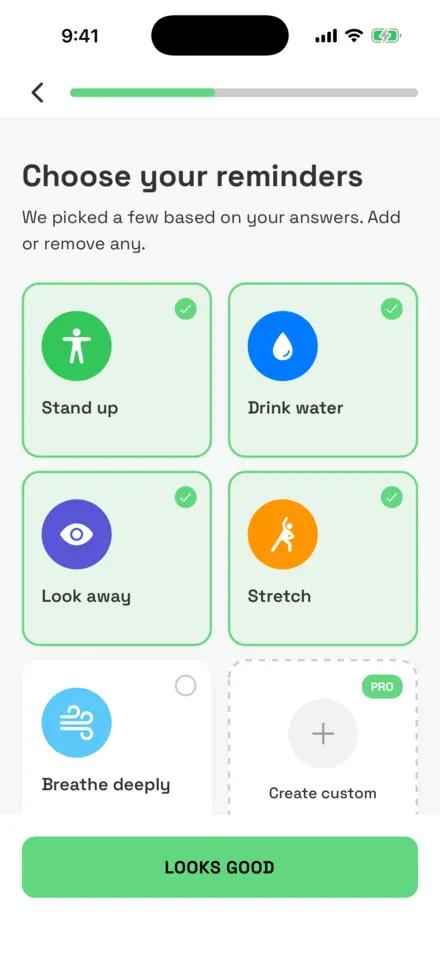
Choose your breaks
Start with the four StandPal suggests from your answers, or pick your own. Each one gets its own interval.
- 3
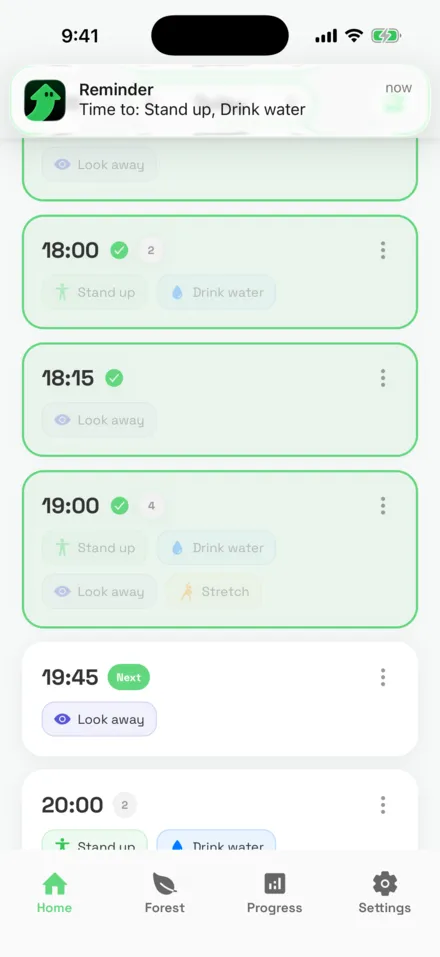
Take the break, tap done
When a reminder lands, press and hold it and tap “Mark as done”. No need to open the app.
Five breaks, each on its own clock
Every reminder has its own interval, so water doesn’t wait for your stretch. The free plan runs two of them at 30, 60 or 90 minutes. Pro runs all of them at any interval from 5 minutes to 3 hours, plus habits you create yourself.
Stand up
Suggested every 60 minBreak long sitting spells before your back and hips stiffen.
Drink water
Suggested every 45 minSmall sips through the day instead of one big bottle at 5pm.
Look away
Suggested every 45 minThe 20-20-20 rule: look 20 feet away for 20 seconds.
Stretch
Suggested every 2 hoursLoosen your neck, shoulders and lower back.
Breathe deeply
Suggested every 45 minA few slow breaths to reset between tasks.
Every break plants a tree
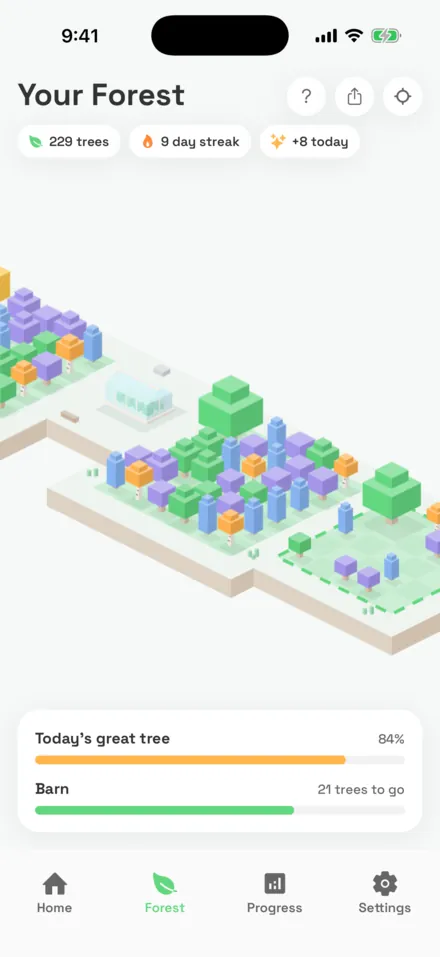
Each break you complete plants a tree in your forest, in the color of that habit. Finish half of a day’s breaks and that day’s great tree grows. Finish all of them and it turns golden.
Landmarks you raise along the way
- 15 treesPond
- 30 treesCampfire
- 50 treesCabin
- 80 treesWell
- 120 treesWindmill
- 180 treesGreenhouse
- 250 treesBarn
- 350 treesLookout tower
- 500 treesTreehouse
The pond is free; Pro unlocks the other eight. Finish all 23 breaks of a default workday and the treehouse is about a month of workdays away.
See how your week is really going
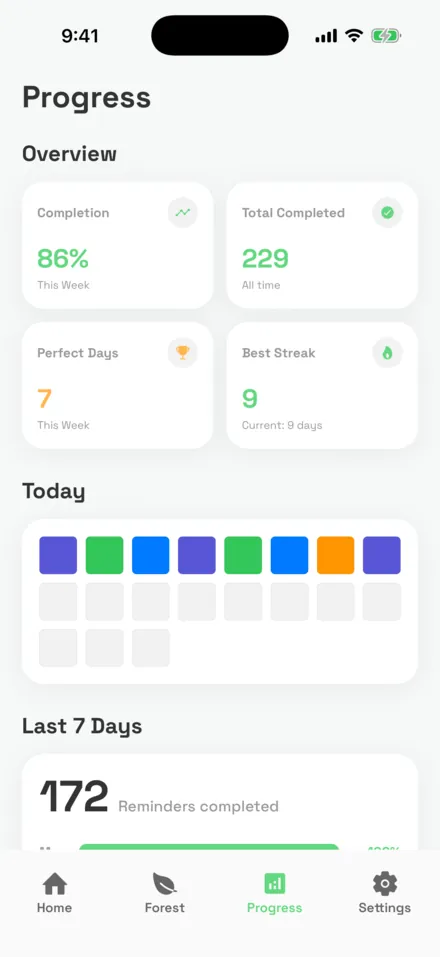
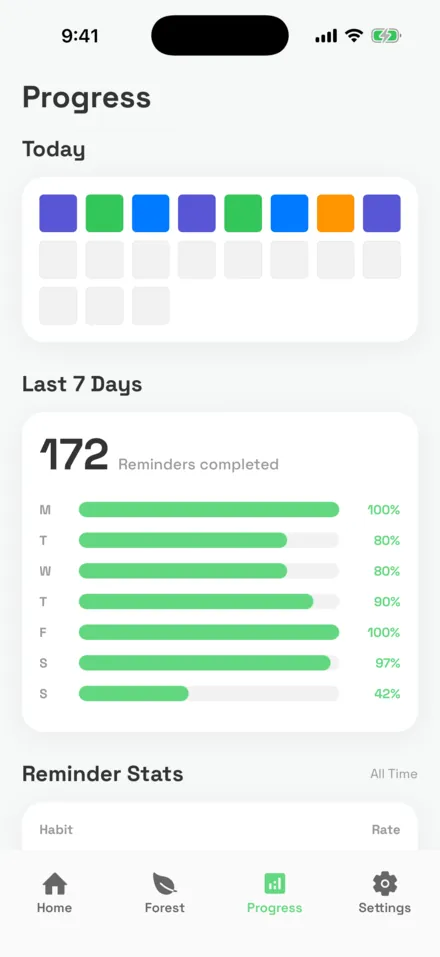
Streaks, perfect days and a completion rate for every habit show what sticks and what you keep skipping. A day counts toward your streak once you finish at least half of its breaks.
- Current and best streak
- Completion rate this week and per habit
- Today at a glance, one colored block per finished break
- A home screen widget with today’s progress
Progress, streaks and the widget are part of StandPal Pro.
How much does StandPal cost?
StandPal is free to download and the free plan never expires. StandPal Pro is $14.99 a year after a 7-day free trial, or $24.99 once for lifetime access.
US prices. The App Store shows the price for your country before you buy. Cancel anytime in your Apple account settings.
| What you get | Free | Pro |
|---|---|---|
| Active reminders | 2 | Unlimited |
| Reminder timing | 30, 60 or 90 min | Any interval, 5 min to 3 h |
| Forest landmarks | 1 | 9 |
| Notification sounds | 1 | 11 |
| Progress & streaks | — | Included |
| Progress widget | — | Included |
| Habits you create yourself | — | Included |
Questions, answered
What is StandPal?
StandPal is an iPhone app that reminds you to stand up, stretch, drink water, rest your eyes and breathe during your work hours. You set your schedule once and it spaces short breaks through your day. Every break you complete plants a tree in your forest.
Is StandPal free?
Yes. The free plan includes 2 active reminders with 30, 60 or 90 minute timing. StandPal Pro unlocks unlimited reminders, any interval from 5 minutes to 3 hours, progress and streaks, the progress widget and custom habits. Pro costs $14.99 a year after a 7-day free trial, or $24.99 once for lifetime access (US prices; they vary by country).
How often should I stand up when working at a desk?
Break up sitting at least once an hour. StandPal defaults to a stand-up reminder every 60 minutes. In a 2024 JAMA Network Open study of 481,688 adults, people who alternated between sitting and standing at work showed no significant increase in mortality risk, while people who mostly sat had a 16% higher all-cause and 34% higher cardiovascular mortality risk.
Will it remind me outside my work hours?
No. You choose your start and end time, an optional lunch break and the days you work. Reminders only arrive inside that window, so evenings and weekends stay quiet unless you add them.
Can I mark a break as done without opening the app?
Yes. Press and hold the reminder notification, then tap "Mark as done". You can also snooze a reminder for 5 minutes or skip it.
What is the 20-20-20 rule?
Every 20 minutes of screen time, look at something about 20 feet (6 meters) away for 20 seconds. It gives your eye muscles a rest. StandPal’s "Look away" reminder is built around it and you can set how often it fires.
How does the forest work?
Every break you complete plants a tree, in the color of that habit. Complete half of a day’s breaks and that day’s great tree grows; complete them all and it turns golden. As your forest grows you earn landmarks, from a pond and a cabin up to a treehouse.
Will I hear reminders when my iPhone is on silent?
Silent mode mutes every app, StandPal included. StandPal’s settings walk you through setting up an iPhone Focus that lets only StandPal through while you work.
Is StandPal available on Android or Mac?
StandPal is available on iPhone (iOS 15.1 or later) from the App Store.
Your next break is 45 minutes away.
Set up StandPal once. It handles the reminding.